2 x 2 inch size
The final output should match the standard US passport photo size used for baby and infant applications.
United States
Use this page when you need a US baby passport photo with a 2 x 2 inch output, plain white or off-white background, and a digital file that can also be arranged on a 4 x 6 print sheet.
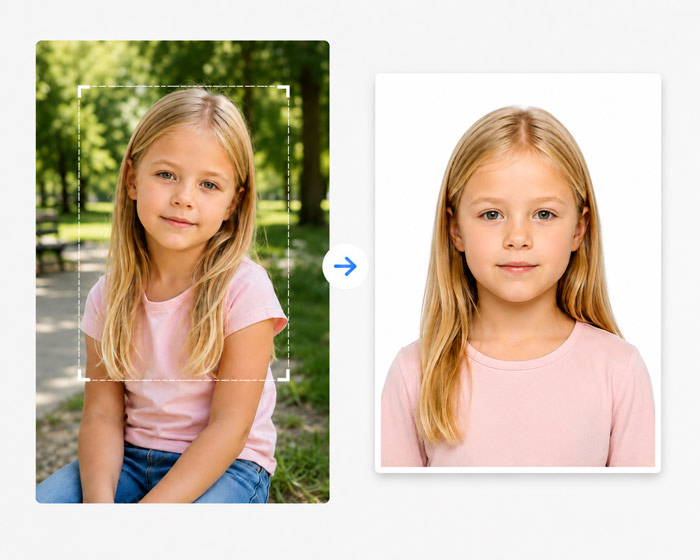
The final output should match the standard US passport photo size used for baby and infant applications.
Use a white or off-white background with no visible objects, patterns, hands, toys, or shadows behind the baby.
Keep the face centered and visible. Avoid heavy tilt, blur, or partial obstruction from blankets, clothing, or support objects.
Place your baby on a plain white sheet or blanket in even light.
Remove pacifiers, toys, hands, and background clutter before shooting.
Use several shots so you can choose one with the clearest face and best alignment.
Use the maker to clean the background, set the crop, and prepare the final file.
A photo can fail if the output is not 2 x 2 inches or the face is not positioned correctly.
Parents' hands, pillows, toys, and patterned blankets can make the background non-compliant.
Uneven lighting, motion blur, and strong shadows around the head often lead to rejection.
The U.S. Department of State says it is acceptable if an infant’s eyes are not entirely open. The photo still needs a clear, unobstructed view of the baby’s face.
No other person may appear in the photo. A safer setup is to place the baby on a plain white or off-white sheet and photograph from directly above.
US passport instructions prohibit digitally altering a photo to change the applicant’s appearance. Use an already compliant white or off-white source background and keep the original-background mode when preparing the crop.
Use a colour photo taken within the last 6 months. Avoid screenshots, social-media copies, filters, red-eye correction and beauty effects.
On the final 2 x 2 inch photo, the head from chin to top should measure 1 to 1⅜ inches (25 to 35 mm). Leave space around the head before cropping.
Use high-quality matte or glossy photo paper. Print at actual size and measure one copy before cutting a full 4 x 6 sheet.
Official US source
The U.S. Department of State specifies a 2 × 2 inch colour photo, a head height of 1–1⅜ inches (25–35 mm), and a white or off-white background. The photo must be recent and must not be digitally altered to change the applicant’s appearance.
Requirements reviewed 8 August 2026. Confirm the current application instructions immediately before submission.