1
Upload a clear photo
Use even lighting, a visible face, and enough room around the head for a safe crop.
Free passport and ID photo maker
Upload a clear source photo, choose a passport, visa, or ID format, review the crop and background, then prepare an HD digital file or printable 4x6 photo sheet.
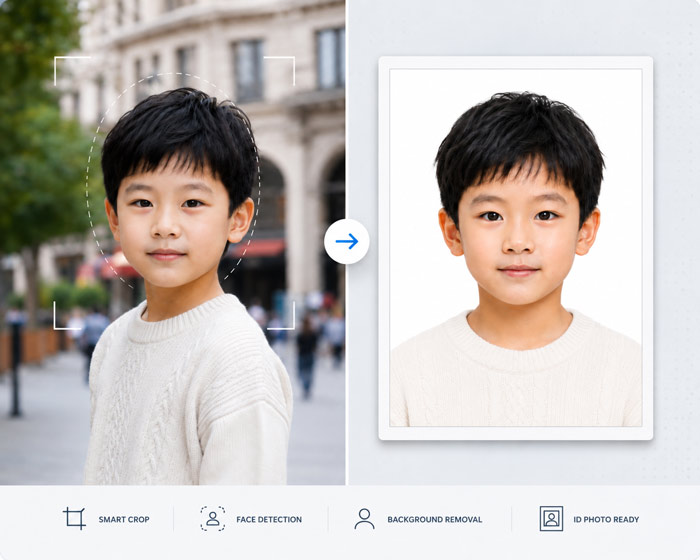
How it works
Use even lighting, a visible face, and enough room around the head for a safe crop.
Choose the destination and application type before selecting a ratio or print size.
Check head position, shadows, visible support objects, edge quality, and background rules.
Use the digital image for uploads or the 4x6 sheet when physical copies are required.
Use this free passport photo maker to create a digital passport photo, a transparent passport photo, and a printable passport photo sheet from one upload. It is built for fast passport photo size selection, white background replacement, and simple ID photo downloads.
Upload
Format
Background
When this option is enabled, the transparent-background output is hidden and color selection is disabled.
Output
Generate outputs to preview the HD passport photo.
Output
Generate outputs to preview the transparent passport photo.
Output
Generate outputs to preview the printable passport photo sheet.
Before submitting
Photo size, permitted editing, background, expression and digital upload rules differ by country and application route. The studio helps prepare the file but does not guarantee acceptance by a passport office, embassy or visa portal.
FAQ
Yes. You can upload a source photo, preview the crop and background, and sign in to download the available HD and printable outputs.
The studio includes common passport, visa and ID photo ratios. Always confirm the final dimensions and submission rules with the receiving government or application portal.
No. Some authorities restrict digital editing. Keep the original background or retake the photo when the official instructions require an unedited capture.