Prepare a Passport size photo for passport, visa, or ID use
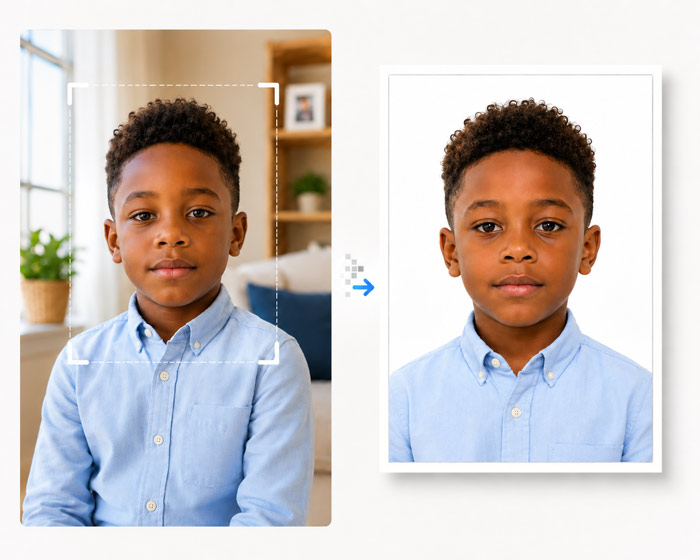
Create a Passport size photo online for passport, visa, ID, and application workflows with a guided crop, clean background checks, and export notes.
Selected resource library
This directory intentionally focuses on a smaller set of useful country, visa, size, and problem-solving pages. Choose the page that matches the actual document or task instead of relying on a generic crop.
size
Compare the core physical formats used across passport, visa, immigration, and identity-document workflows.
Create a Passport size photo online for passport, visa, ID, and application workflows with a guided crop, clean background checks, and export notes.
Create a 2 x 2 inch photo online for passport, visa, ID, and application workflows with a guided crop, clean background checks, and export notes.
Create a 35 x 45 mm photo online for passport, visa, ID, and application workflows with a guided crop, clean background checks, and export notes.
Create a 50 x 70 mm photo online for passport, visa, ID, and application workflows with a guided crop, clean background checks, and export notes.
guide
Solve a specific task such as checking a photo, cleaning the background, taking it on a phone, or creating a print sheet.
Compare common baby passport photo sizes for the US, UK and Canada, then check the application route, age rules and digital or print format.
Prepare a digital passport photo for upload. Check crop, pixel dimensions, file type, file size and background rules before submitting the original export.
Prepare an infant passport photo with a safe flat-surface setup, even light and a clear face. Check support items, crop and destination rules before export.
Make a printable 4x6 passport photo sheet, keep the required photo dimensions and avoid printer scaling that can make physical copies unusable.
See when passport photo background cleanup helps, how to spot unnatural edges and when official rules require an unedited photo on a plain backdrop.
Check a passport photo for blur, face position, shadows, background, crop and output format. Learn when to retake instead of trying to edit the source.
Use your phone to take a clear passport photo at home. Check camera angle, lighting, background and filters before cropping for the required document.