1
Get a usable source
Start with face clarity, even light, and a simple background before thinking about crop size.
2 x 2 inch photo size
2 x 2 inch is a common document-photo size across passport, visa, ID, and permit applications. Use this page to prepare the crop, check background quality, and choose digital or printable output.
Quick target
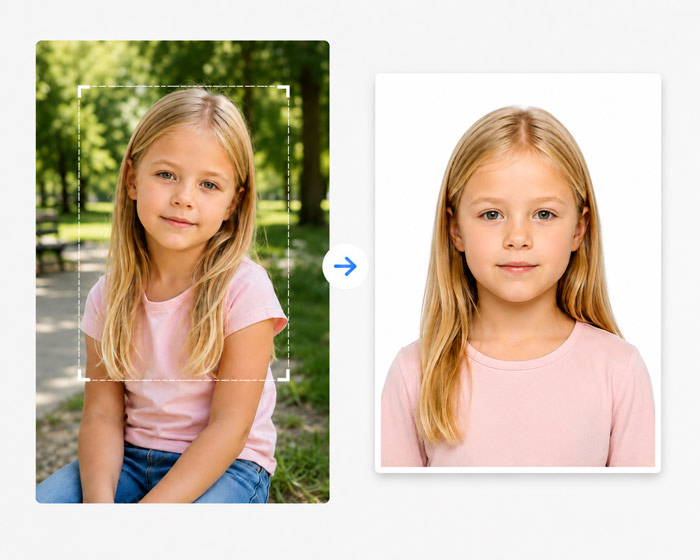
Workflow
Start with face clarity, even light, and a simple background before thinking about crop size.
Match the page to the country, visa, size, local print, or practical photo problem.
Look for shadows, blur, visible support items, background texture, and wrong aspect ratio.
Export only after you know whether the application wants upload, physical copies, or both.
Size fit
Use this when you know the required dimensions first and need a clean crop before matching it to a document type.
Do not assume one size works for every country. Similar document names often use different crops.
Practical detail
A 2 x 2 inch photo has a 1:1 aspect ratio. Start with enough space around the head so a square crop does not cut into hair, chin, or shoulders.
Do not assume every square upload uses the same pixel count. Some portals specify exact pixels or file limits, while printed applications care about the physical two-inch output and head placement.
Checklist
Choose 2 x 2 inch before cropping so the aspect ratio is correct from the start.
Use a sharp front-facing source photo with even light.
Verify the target country or document type before submitting the file.
Avoid rejection
A correct size can still fail if the head position, shadows, or background are wrong.
Some portals ask for pixels while others ask for millimeters or inches.
Printing at the wrong scale can turn a correct digital crop into an incorrect physical photo.
Source note
Document photo rules can change and may differ by passport office, embassy, visa portal, print process, age group, and submission method. Use this page to prepare a cleaner file, then confirm the final requirement with the official application instructions.
FAQ
2 x 2 inch is used by different passport, visa, ID, permit, or application workflows depending on the country and document type.
You can export a print-ready sheet, but the final print must be scaled correctly and accepted by the target application route.
No. Countries and agencies can use different dimensions for similar document names, so confirm the exact target before submitting.
Related pages
Create a 2 x 2 inch photo online for passport, visa, ID, and application workflows with a guided crop, clean background checks, and export notes.
Create a 35 x 45 mm photo online for passport, visa, ID, and application workflows with a guided crop, clean background checks, and export notes.
Create a Passport size photo online for passport, visa, ID, and application workflows with a guided crop, clean background checks, and export notes.
Create a 50 x 70 mm photo online for passport, visa, ID, and application workflows with a guided crop, clean background checks, and export notes.
Use this page when you need a broader workflow, checklist, or tool entry point.
Use this page when you need a broader workflow, checklist, or tool entry point.
Use this page when you need a broader workflow, checklist, or tool entry point.
Use this page when you need a broader workflow, checklist, or tool entry point.