1
Get a usable source
Start with face clarity, even light, and a simple background before thinking about crop size.
Passport photo guide
Baby passport photo size depends on the destination and application route. Compare the common US, UK and Canada formats, then verify the current infant and submission rules.
Quick target
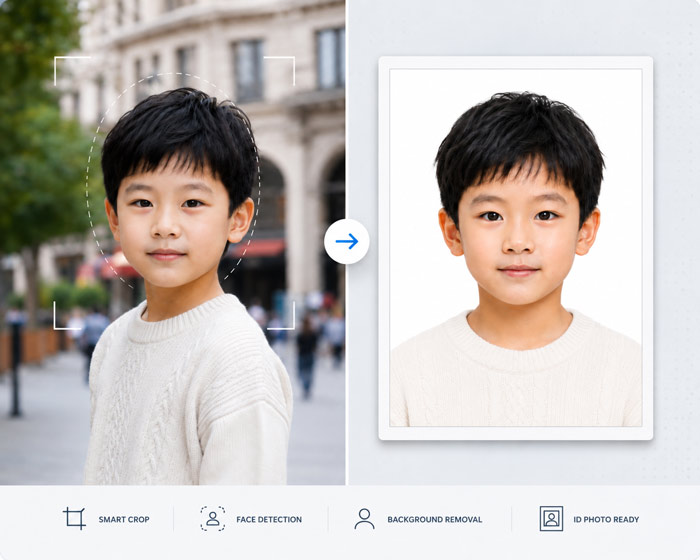
Workflow
Start with face clarity, even light, and a simple background before thinking about crop size.
Match the page to the country, visa, size, local print, or practical photo problem.
Look for shadows, blur, visible support items, background texture, and wrong aspect ratio.
Export only after you know whether the application wants upload, physical copies, or both.
Problem fit
Use this when one practical issue is blocking the photo: source quality, background, printing, phone setup, expression, or output format.
Do not over-edit a weak source photo. Retaking is safer when the face is blurred, blocked, or heavily shadowed.
Practical detail
Some authorities allow limited expression or eye-position flexibility for very young children, but that does not usually change the required photo dimensions or output format.
Select the same destination-specific size used by the application, then review baby-specific issues such as visible hands, blankets, pacifiers, head support, shadows, and whether both eyes must be open for the child’s age.
Checklist
Fix the source-photo problem before choosing the final crop.
Use the editor for crop, background cleanup, and print-sheet output.
Retake the photo when blur, heavy shadow, or face obstruction cannot be corrected safely.
Avoid rejection
Do not rely on editing to change identity, facial features, or official no-edit requirements.
Do not submit a photo if support items, hands, or objects are visible around a baby.
Do not print until you know whether the application needs digital upload or physical copies.
Source note
Document photo rules can change and may differ by passport office, embassy, visa portal, print process, age group, and submission method. Use this page to prepare a cleaner file, then confirm the final requirement with the official application instructions.
FAQ
It can help with crop, background cleanup, and output formatting, but a clean source photo is still the safest starting point.
Retake it when the face is blurred, blocked, strongly tilted, poorly lit, or surrounded by visible support objects.
Yes. Baby, infant, and toddler photos often need extra checks for support items, eyes, shadows, and background texture.
Related pages
Prepare a digital passport photo for upload. Check crop, pixel dimensions, file type, file size and background rules before submitting the original export.
Prepare an infant passport photo with a safe flat-surface setup, even light and a clear face. Check support items, crop and destination rules before export.
Make a printable 4x6 passport photo sheet, keep the required photo dimensions and avoid printer scaling that can make physical copies unusable.
See when passport photo background cleanup helps, how to spot unnatural edges and when official rules require an unedited photo on a plain backdrop.
Check a passport photo for blur, face position, shadows, background, crop and output format. Learn when to retake instead of trying to edit the source.
Use your phone to take a clear passport photo at home. Check camera angle, lighting, background and filters before cropping for the required document.
Use this page when you need a broader workflow, checklist, or tool entry point.
Use this page when you need a broader workflow, checklist, or tool entry point.
Use this page when you need a broader workflow, checklist, or tool entry point.
Use this page when you need a broader workflow, checklist, or tool entry point.