Square crop
The final output should be square, not a tall portrait crop or a loose phone screenshot.
US-style photo size
The 2x2 inch format is common for US passport and visa photo workflows. For babies, the hard parts are usually source quality, background cleanup, and keeping the face centered in the square output.
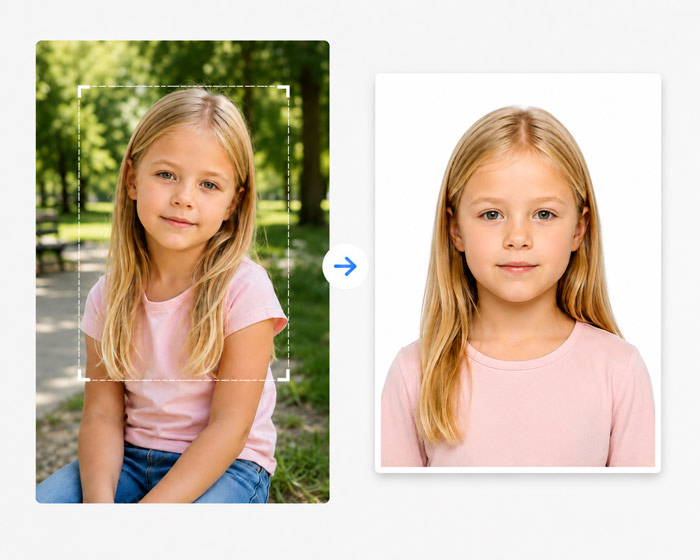
The final output should be square, not a tall portrait crop or a loose phone screenshot.
Use white or off-white background cleanup and avoid visible blankets, hands, or objects.
Choose a digital file, printable 4x6 sheet, or both depending on the application.
Use a sharp front-facing image with as little motion blur as possible.
Use the US-style square preset in the maker when that matches your document route.
Check that the head is not too low, too high, or cut off by the crop.
Download the final digital photo or a printable sheet after confirming the target rules.
Country note
The 2x2 format is only one part of the file. Check the US baby passport page for country-specific background, crop, and rejection notes.
A 2x2 baby passport photo is a square 2 inch by 2 inch output commonly associated with US passport and visa photo workflows.
Yes. Start with a clear baby photo, then crop and export it to the correct 2x2 format before printing or uploading.
A 4x6 print sheet can be useful when you need printed copies, but the exact requirement depends on the application route.